LibOrate is a Zoom meeting companion that is design for, with, and by people who stutter to empower marginalized voices and cultivate an inclusive online meetings.
Developed by the stutterer-led nonprofit AImpower.org, LibOrate integrates directly with Zoom to amplify marginalized voices in Zoom meetings through a suite of empowerment-focused tools and features.
Features
LibOrate currently provides four core features: Self Affirmation, Hand Wave, Name Tag, and Mindfulness.
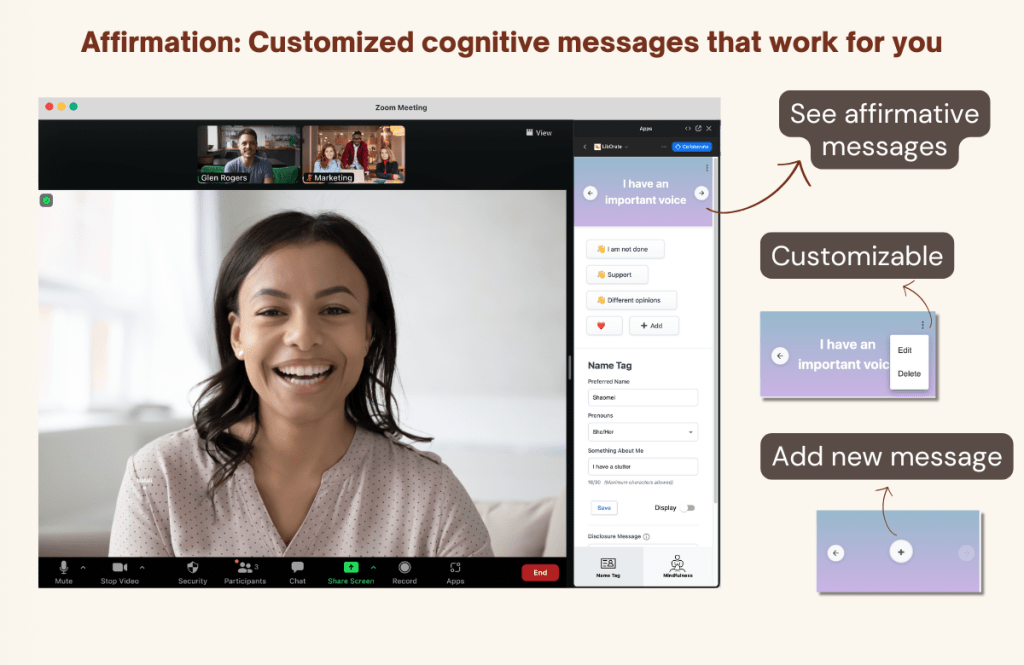
Self Affirmation
Sometimes we all need a bit of reminder that our voices matter. With Self Affirmation, you can customize and display a deck of affirmative messages that are only visible to you – think of it as a personal prep-talk!
💡 Tips
LibOrate comes with a built-in deck of messages we like, but you can easily edit, add, or delete them to make them work for you.
You can also customize the size of the message banner. Try dragging the bottom edge to make it bigger or smaller. </aside>
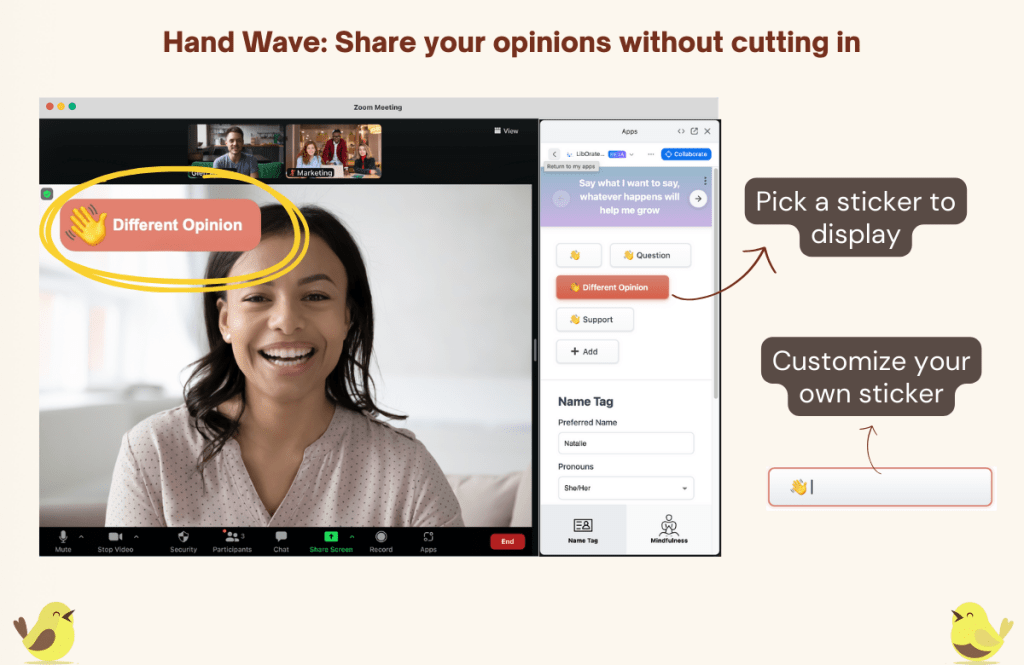
Hand Wave
Remember the last time you used your hands to communicate in an in-person meeting? Whether it’s a thumbs up, a waving hand for attention, or clapping, it feels so natural yet powerful! We designed a set of “hand wave” buttons to let you wave your “virtual hands” and display a customized sticker — such as “👋🏼 I am not done” or “👍🏼 support that” — on screen to hold the space and share your thoughts.
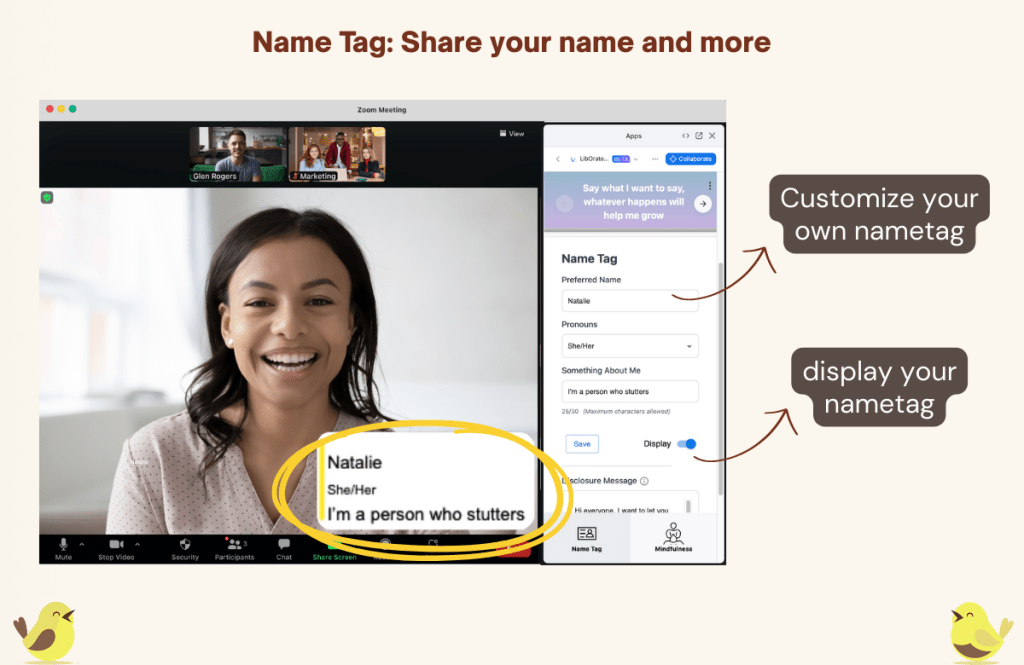
Name Tag
Name Tag lets you display a personalized virtual name tag that shows your preferred name, pronouns, and a personal message – such as “under the weather today” or “I have a stutter” – to promote transparency and authenticity among meeting participants.
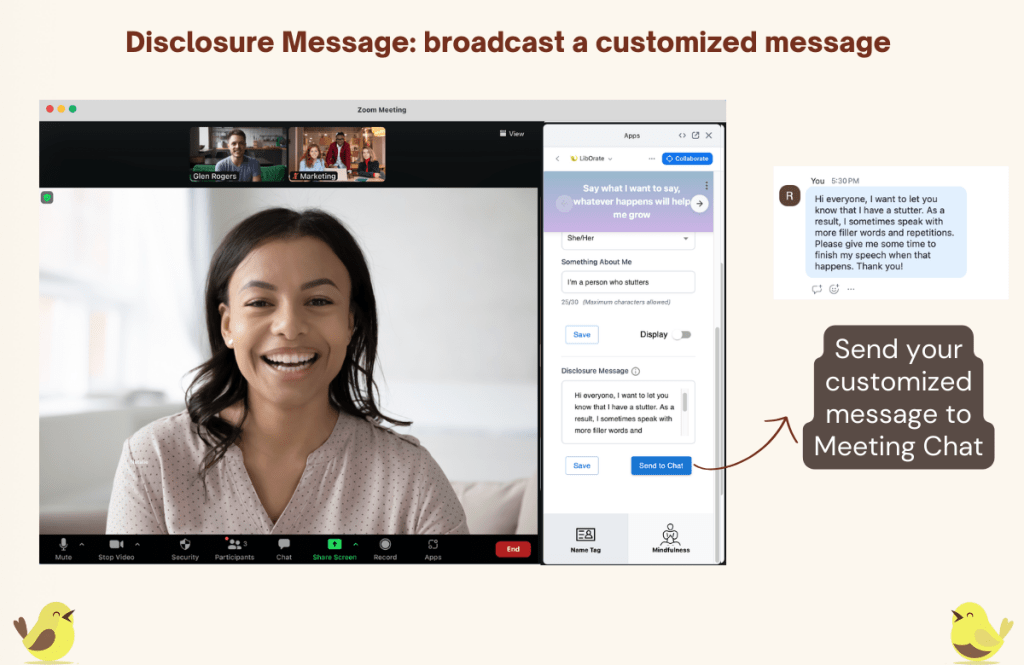
Disclosure Message
Pre-write and save a message and send it to the meeting chat whenever you need! e.g. what is stuttering and how to support you and a speaker who stutters in general.
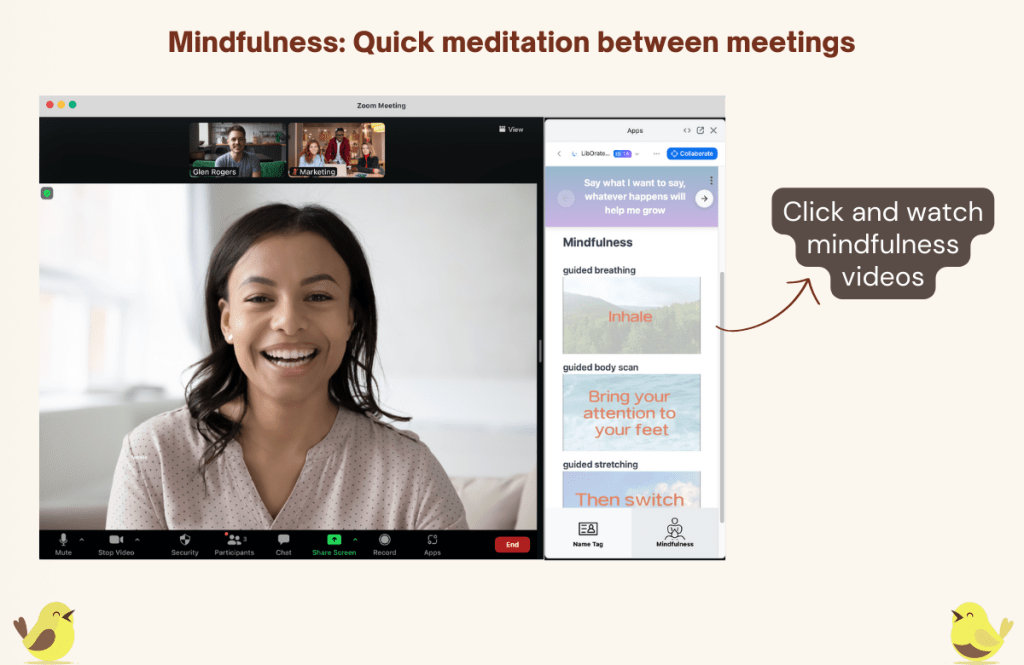
Mindfulness
Mindfulness: Provide short mindfulness practices to help users focus and wrap up before, during, and after meetings.
How to Start
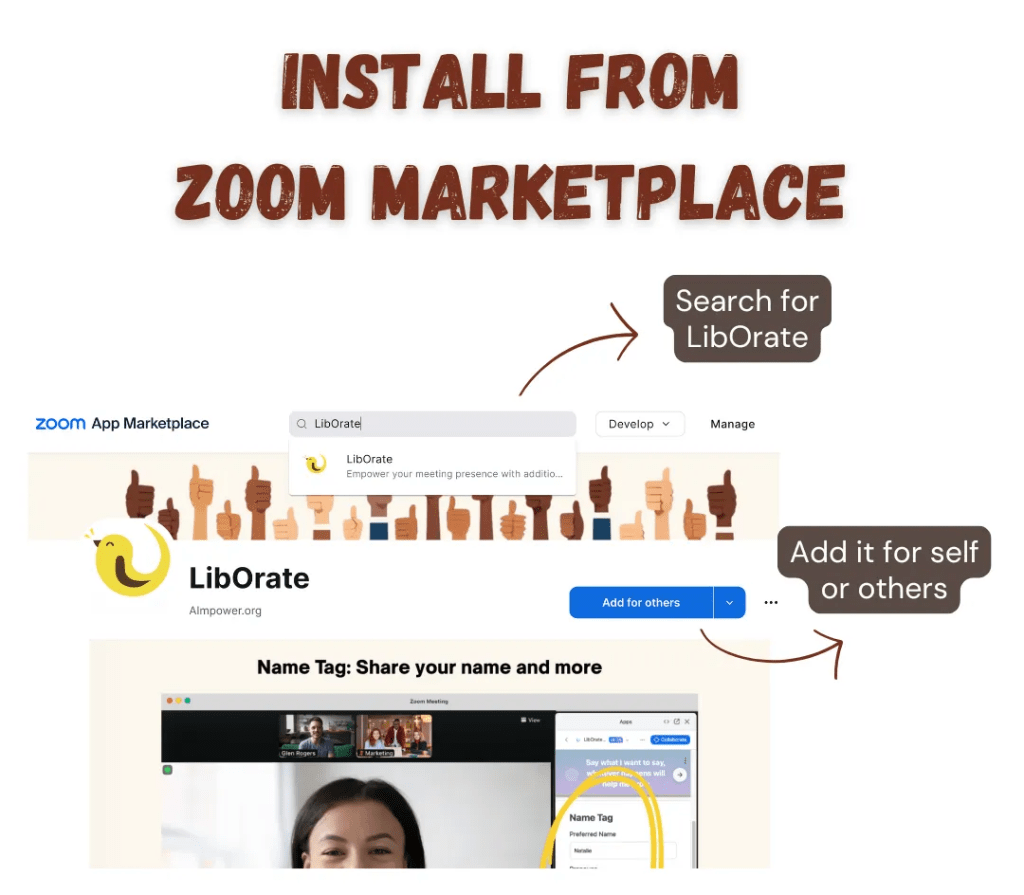
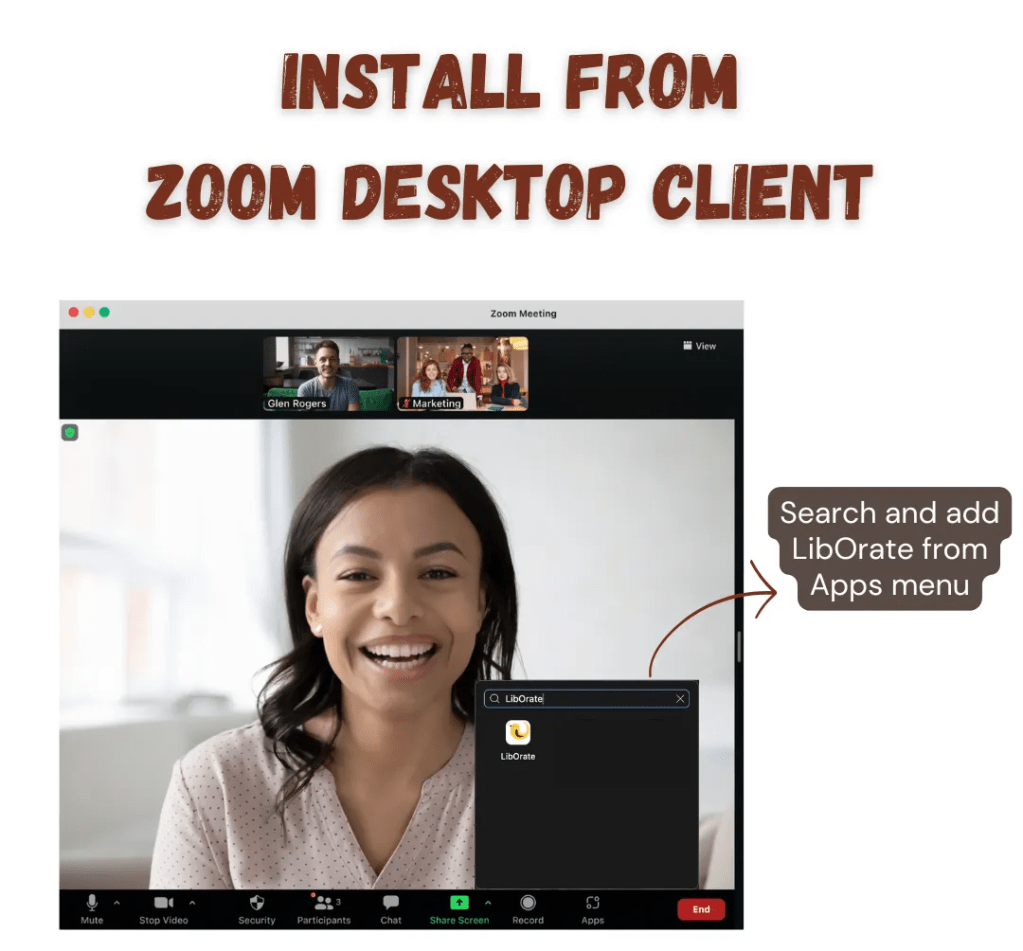
You can find and install LibOrate at Zoom Marketplace (marketplace.zoom.us) or directly from Zoom’s Desktop Client.
💡 You may need request approvals from your IT/admin if you are using an organizational Zoom account from work or school. Feel free to re-direct any question from your admin to us at contact@aimpower.org.
What the community say
“I love it — the reminders are fantastic, and I like that it’s customizable.” — Tatianna
“It’s a very simple and low-pressure way to disclose that I stutter.” — Hope D.
“The name tag is a really nice feature. It can serve as a simple, low-pressure reminder that I stutter.” — Stephen
“The waving features, especially the ‘I’m not done’ message, would be the most helpful for me because I feel like the problem I have is when people are interrupting me.” — Nayha
Research
LibOrate is born out of a series of community-centered research on videoconferencing and stuttering. Below is a list of papers that shaped LibOrate and document our research and co-design process, conducted in partnership with people who stutter and the speech-language pathologists supporting them. Read more about our research here.
We do not record or store video/audio streams, do not access organization-wide calendars or contacts, and never use individual user content to train third-party AI models. We use loggings to deliver useful features while keeping your personal and organizational data within your control.

 LibOrate